Before you email us
Why do the apps cost money?
Because effort isn't free, and if you're not paying for the product, you are the product. “Free” apps get paid for somehow — usually with ads, tracking, or selling what they learn about you. A nominal price means you're the customer, and it's the only way these apps make any money. The exceptions are Glidepath's web version and SonicViz, which are free — and still have no ads and no tracking. SonicViz is free because I can't calibrate it or guarantee it's accurate, so I can't honestly charge for it.
Do these apps need an internet connection?
For their core features, no. Every app on this site is built to work fully offline. A couple have one clearly-labeled optional feature that can reach the network if you turn it on — check that app's own page for specifics.
Do I need to create an account?
No. None of these apps require sign-in to use their core features.
Is my data private?
Yes — see the full privacy policy for exactly what's stored where, app by app. Short version: your data stays on your device unless you explicitly choose otherwise.
I found a bug, or have feedback.
Email [email protected] with what app you're using and what happened. Screenshots help.

Wordkowski-specific questions
Is there a daily puzzle?
No — Wordkowski isn't date-based. Start a new game any time you want.
How do I play?
Guess the secret 5-letter word in six tries. After each guess, tiles show green (right letter, right spot), amber (right letter, wrong spot), or gray (letter not in the word). One hint is available per game if you get stuck.
Blockowski-specific questions
How do I start a game?
It's a handheld title screen. Use the D-pad: Up and Down move between rows, Left and Right change the mode and start level, and press START (or tap the Play row). No ads in the way and no questions asked.
What does the STYLE button do?
It cycles through the three looks: Console, Handheld and Modern. The pause screen has a Look row too, and Options lets you pick the Handheld palette (Gray, Black and White, or Green) and the Modern color scheme.
Can I play a friend without internet?
Yes. It's phone to phone, so no internet and no account are needed. One of you hosts and the other joins; you both need Blockowski open and the phones close together. Against a friend the game can't be paused, since both phones are on the same clock, so the pause button turns into Forfeit.
Will the music stop my own music?
By default, yes: Blockowski's soundtrack takes over like any game. Turn on “Allow my own music” in Options to let other apps keep playing. The ringer switch silences the game either way.

Szeptem-specific questions
What does “Szeptem” mean?
It's Polish for “in a whisper,” which is how a journal should feel: quiet, close, and just for you.
Can I add more to an entry later the same day?
Yes. Open today's entry and tap “Add to this entry.” The new recording joins the same entry, transcript and audio. At midnight the day is sealed, so older entries stay just as you left them.
Can I lock the app?
Yes. Turn on “Require Face ID to Unlock” in Settings to lock the journal behind Face ID or your device passcode.
What happens if I delete the app?
Your entries, recordings and any local backups are removed along with the app. That's intentional, for on-device privacy, and it's why backups matter. Export a backup file from Settings and save it somewhere safe (iCloud Drive, for example), or keep your iPhone's own iCloud Backup turned on. Backups hold your entries' text and metadata but not the audio recordings, so recordings are lost with the app.
Can I get my data out, or move it to a new device?
Yes. Export a backup file from Settings and restore it later with Restore Backup. Backups are encrypted and can only be opened by Szeptem's own Restore Backup.
Can I open a backup file outside the app, or extract my entries with a script?
No. Szeptem backups (.szbackup files) are encrypted on purpose. Each backup is compressed and then sealed with AES-256-GCM, and the 256-bit key isn't stored in the file. It lives in your device's iOS Keychain and travels only through iCloud Keychain; the app doesn't show or export it. A script could easily handle the file format (compression, AES-GCM, JSON), but it has no way to get the key, and without the key the file is unreadable. Working around that would mean weakening the protection that keeps your journal private if a backup file ever leaks, for example from a shared Files folder, an iCloud Drive glitch or a stolen device backup. Also note that audio recordings aren't inside the backup, only their file names. The supported way to get your data back is Szeptem's Restore Backup, which has the key and can decrypt the file.
Can I export or copy my voice recordings?
No. Each recording is saved as an audio file inside Szeptem's private sandbox (Application Support/VoiceRecordings), which iOS never exposes through the Files app or over USB. Backups contain only each entry's text and the recording's file name, never the audio. So there's no export path, and recordings exist only on the original device. If the phone is lost, wiped or replaced, the audio goes with it. If “Keep Voice Recordings” is turned off, the app deletes each recording as soon as it's transcribed, and deleting an entry also deletes its audio.
Can Szeptem protect my journal from a government or a big corporation?
Honestly, no, and it isn't designed to. The encryption and sandboxing protect against realistic threats: a leaked backup file, a cloud sync mishap, a lost or stolen device, or a curious person with brief physical access. A government or an extremely well-funded company can use zero-day exploits and commercial spyware, subpoenas and court orders to Apple or other providers, supply-chain access, insiders, or forensic tools on a seized device. None of that requires breaking AES. If an organization like that really wants your journal, it will most likely get it. Szeptem's protections raise the cost of casual and opportunistic access; they don't make your data untouchable. XKCD 538 sums it up: strong cryptography is rarely the weakest link, and the people and devices around it are. More on this.
Glidepath-specific questions
Where can I play Glidepath?
Right now, in your browser at glidepath.goofflinebydesign.com — free, with no sign-up and nothing to install. Native iPad and Mac apps (the Mac version runs on Macs with Apple silicon) are in App Store review and will be listed here as soon as they're approved.
Is there an iPhone version?
No. We built one, and it wasn't good enough — a radar scope full of traffic needs more room than a phone screen gives it. Rather than ship something mediocre, we skipped it. Play on an iPad, a Mac, or in a desktop browser instead.
Does the web version really work offline?
Once the page has loaded, yes: the whole game runs in your browser and makes no network requests, so you can switch off Wi-Fi mid-shift and carry on. You do need a connection to open or reload the page in the first place. If you want something that never needs the internet at all, the iPad and Mac apps are fully offline.
Is Glidepath real air traffic control training?
No — it's a game. It uses real units, separation standards and phraseology so it feels right, and six airports are built on real-world runway layouts, but every airport and airline name is fictional and plenty is simplified to keep it fun. Please don't use it to learn real-world procedures.
How do I unlock Mesa Ridge and Northfield?
Land 20 aircraft at Harborview to unlock Mesa Ridge, then 20 at Mesa Ridge to unlock Northfield. The six real-world layouts are open from the start. If you already know your way around a scope, Settings › Unlock all airports opens everything immediately.
How do emergencies work?
They're off by default — turn them on in Settings › Emergencies. Now and then an aircraft declares a mayday or pan-pan with a countdown; land it before the timer runs out, and its runway closes for a while afterwards. Separately, any arrival you keep waiting too long will call “minimum fuel” and can end up declaring a fuel emergency, whether the setting is on or not.
Can I change or turn off the pilot voices?
On iPad and Mac, yes — Settings › Pilot voice readbacks turns them off. Glidepath uses the English voices already installed on your device; on iPad you can download higher-quality ones in Settings › Accessibility › Spoken Content › Voices, and on Mac in System Settings › Accessibility › Spoken Content. The web version has no voices — readbacks appear as text in the radio log.

Remik 51-specific questions
What happens if I decline cookies?
The game is still fully playable, but it only exists in server memory for that browser session. Reloading or closing the tab loses it, and idle unsaved games are cleared automatically after a couple of hours.
If I accept cookies, how long is my saved game kept?
30 days without being played, after which it's deleted.
Is this the multiplayer Remik 51?
No — this is a single-player version against one computer opponent. There are no rooms, chat, or other players.
How strong is the hardest bot?
Grandmaster plays close to optimally: it tracks which cards are still live, denies you cards that would complete your melds (more aggressively the closer you are to winning), and plays it safe once it's ahead.
SecureLicense-specific questions
Is this an official digital driver's license?
No. It's a photo for your own convenience, not affiliated with any government or licensing agency, and it may not be accepted in place of your physical card. Always carry your license when the law requires it.
Which licenses can it read?
US driver's licenses and IDs. Maybe Canada's? Let me know. It decodes the barcode on the back (the AAMVA standard) and falls back to the printed text on the front; anything it misreads can be fixed with Edit. SecureLicense is available in the US & Canadian App Store only.
Why is my license blank when I take a screenshot?
On purpose. The card and its details are excluded from screenshots, screen recordings and mirroring, so a copy can't slip out by accident.
What happens if I delete the app?
The photos and details are removed with it. There's no copy anywhere else, apart from your own iPhone or iCloud device backup.
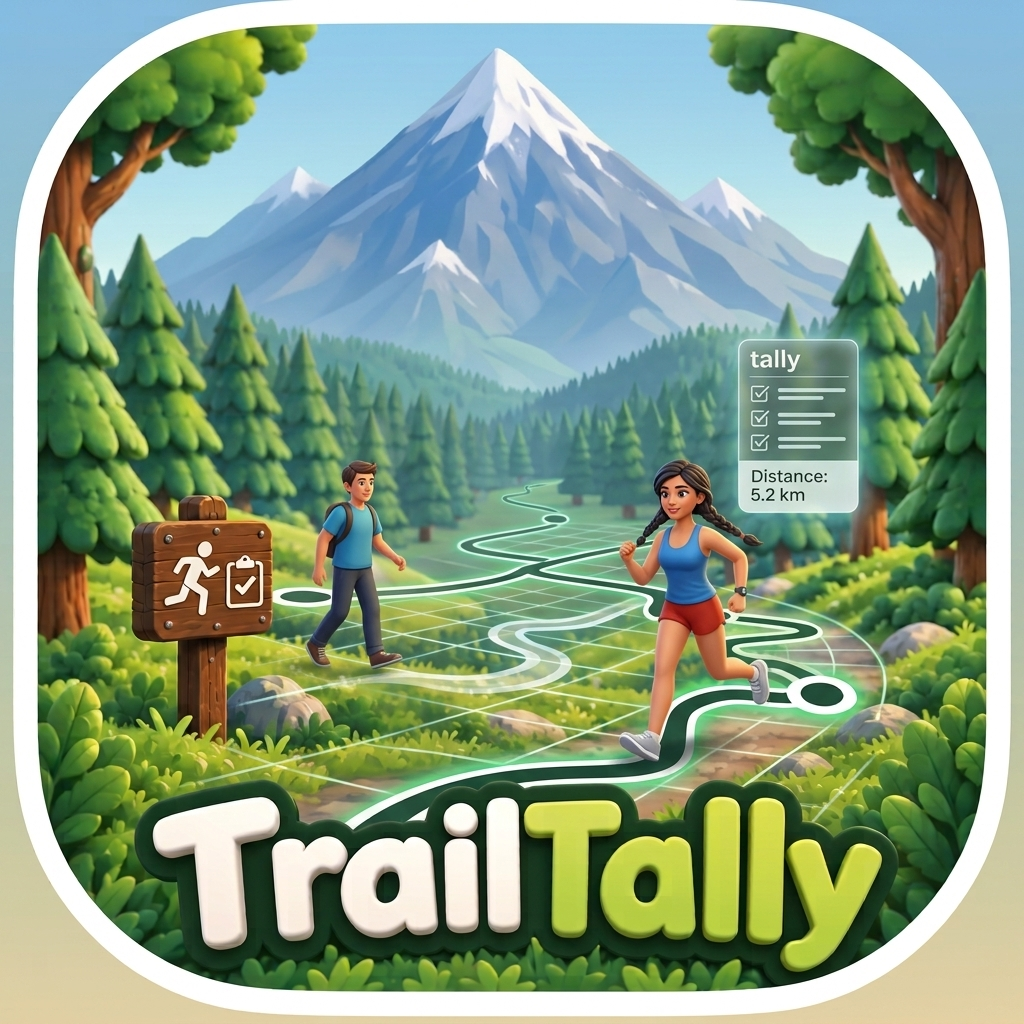
TrailTally-specific questions
Does TrailTally need cell service to work?
To show the map or download trail data for a new area, yes — that part needs a connection. Recording a GPS track and re-measuring an area you've already visited both work without one; the map itself may just be blank in Airplane Mode.
What happens when a trail forks?
TrailTally shows you both paths, in different colors, with their distances, and asks which one you took. It remembers your answer for that leg so it won't ask again unless you move the pin.
Is it just for walking?
No — switch between Walk/Hike and Bike, and TrailTally changes which paths it's allowed to route through and how it costs things like steps and one-way streets accordingly.
Where do my recorded routes go?
Nowhere, unless you send them somewhere. Routes and recordings are stored on your iPhone; the only way one leaves is if you tap Export and choose a destination yourself.
FlagLine-specific questions
Do I need a signal at the pool?
No. FlagLine is offline by design. Timing, swimmers, meets and history all work in Airplane Mode, and sharing with another coach goes directly between the two phones over Bluetooth and Wi-Fi, never through the internet.
How do two coaches pair their phones?
Open Pair with a coach on both phones. One scans the other's code, then both confirm the same six digits appear. You do it once; after that the phones find each other whenever they're close.
Do coaches have to start the race together?
No. When one coach gets a race ready, other paired coaches nearby see a Join banner and can hop in with one tap, even from another tab.
What if two coaches tap the same swimmer?
The first tap claims the lane. The other coaches' buttons for that lane switch off, and every phone agrees on the same result, so there's only one record for the swim.
Can a new coach get our swimmer roster?
Yes. Ask a paired coach from the Swimmers tab or Settings. Choose whether you want history and meets too. Nothing is sent until the other coach approves.
I use an iPhone and an iPad. Can they stay in sync?
Yes. In Settings, choose My other devices and add the other one. After that, whenever FlagLine is open on both and they're near each other, swimmers, history and meets copy across by themselves, directly between the two devices and never through the internet.
Is it OK to use with children's swim teams?
It was designed for exactly that. FlagLine collects no data, has no accounts and no server, and children never sign into anything. Swimmers' names and times stay on the coaches' phones, and nothing is shared with anyone you haven't paired or exported to.
What happens if my phone locks or the app closes mid-race?
Every tap is written to disk right away, and FlagLine offers to resume an unfinished race when you reopen it. The optional app lock never engages while a race is armed or running.
Which meet files can it read?
Meet Program, heats and lanes (entries), team entry lists and results PDFs in the HY-TEK Meet Manager style. If it can't tell what a file is, you can tell it.
Can I share my child's meet times?
Yes. Tap the share icon beside your swimmer on the meet board, or open their page and choose Share card. FlagLine makes a picture of their times that you can post or send to a family chat. Only that swimmer's own times are on it.
Can parents use it?
Yes. A parent can import the meet program, star their swimmer, and switch to the Watching view to see only that swimmer's events and heats.
Why does it cost $4.99?
The nominal price pays for the testing it takes to make a timer coaches can rely on, and it means the app never has to earn money from swimmers' data. It's paid once, with no subscription.
Speedowski-specific questions
Why do I need to allow Precise Location?
Approximate location fuzzes your position to a multi-kilometer area, which makes accurate speed math impossible. Speedowski will prompt you to switch to Precise so it can actually calculate your speed.
Why does the speed take a moment to settle sometimes?
Speedowski weighs each GPS reading by how confident it is, so a jumpy signal doesn't produce a jumpy number. That trades a small amount of lag for a much steadier reading, especially at low speed.
Does it drain my battery?
It's built not to: a pure black screen (near-zero cost on OLED), no background tracking, and GPS stops the instant you leave the app.
Can I see my top speed after I close the app?
No — Top Speed and Avg Moving Speed reset every time you open the app. Nothing about your ride is saved anywhere.
Spin Thing-specific questions
How do I play?
Tap Start, hold your phone flat against your chest, screen up, with both hands. Once you're steady for a second, GO! flashes and the round begins. Spin! Stop, fall or hand the phone off to end it.
Why was my round disqualified?
Either you held the phone too far from level for too long, or Spin Thing detected something that isn't you spinning, like a turntable, a lazy Susan or the phone spinning on a table. Disqualified rounds are saved in your history but don't count on the leaderboards.
Why was I called a chair cheater?
Spin Thing looks for the signs of an office chair: no footsteps, smooth coast-downs and occasional kicks. Your spins still count, but you're branded with a chair badge and get a chair-specific roast.
It says my device can't spin. What now?
Spin Thing needs the motion sensors found in every iPhone, and it doesn't work in the iOS Simulator, which has none. Play on a real iPhone.
Whose idea was this?
My son Oliver's. He came up with the game, and I built it. He's still waiting for his cut of the $0 in ad revenue.

SonicViz-specific questions
Is SonicViz a certified sound level meter?
No. It's a capable measurement tool, but phone microphones vary. Out of the box the SPL readout is labeled “Uncalibrated.” For better accuracy, calibrate against a known reference in Tools → Calibration, or import a microphone calibration file such as a UMIK-1 profile. For legal or occupational compliance, use a certified instrument.
Why does the app need the microphone, and does it record me?
The microphone is how SonicViz hears sound to analyze. That analysis happens live on your device. Audio is only saved if you choose to record, and it stays on your device unless you export it yourself.
Does long-term logging really keep running with the screen locked?
Yes. That's the one reason SonicViz uses the audio background mode. Start long-term level logging, lock your phone, and it keeps logging levels.
How do I get my measurements out of the app?
Use the share button to export CSV, high-resolution PNG, PDF reports, WAV audio or session files through the standard iOS share sheet. Session files can be re-opened in SonicViz later.
Still stuck, or found a bug? Email me directly — I read every message myself.
[email protected]